
Live broadcast
Event live streaming in Seville
We stream your conference, general meeting or concert live, with multiple cameras and sound taken straight from the event's own system. What the room sees and what viewers at home see don't have to be the same.
- Cameras
- One to four
- Output
- Public or private
- Audio
- From the event's mixing desk
- Recording
- Included
- Area
- Seville and province
What it is and when you need it
Bringing the event to people who can't be in the room
Streaming is the broadcast side: taking the finished programme feed and delivering it, stable and uninterrupted, to people watching from home or the office. The cameras and the vision mixer are part of live video production; here we are talking about what happens next.
When it's requested
Conferences and seminars with delegates who can't travel to Seville. Shareholder and general meetings that need to be on record. Product launches watched simultaneously across several branch offices. Institutional ceremonies broadcast for the press and the public. Concerts and festivals that want to reach beyond the venue's capacity. And weddings with family abroad, one of the requests that has grown the most.
Live, recorded or both
A live broadcast means everything has to work first time, and it sets the pace of the event. A well-produced recording can be published the next day with the best shot of every moment. You can do both: stream live for those who need it and record the footage in parallel for editing afterwards. We almost always recommend the latter.
What viewers see and hear
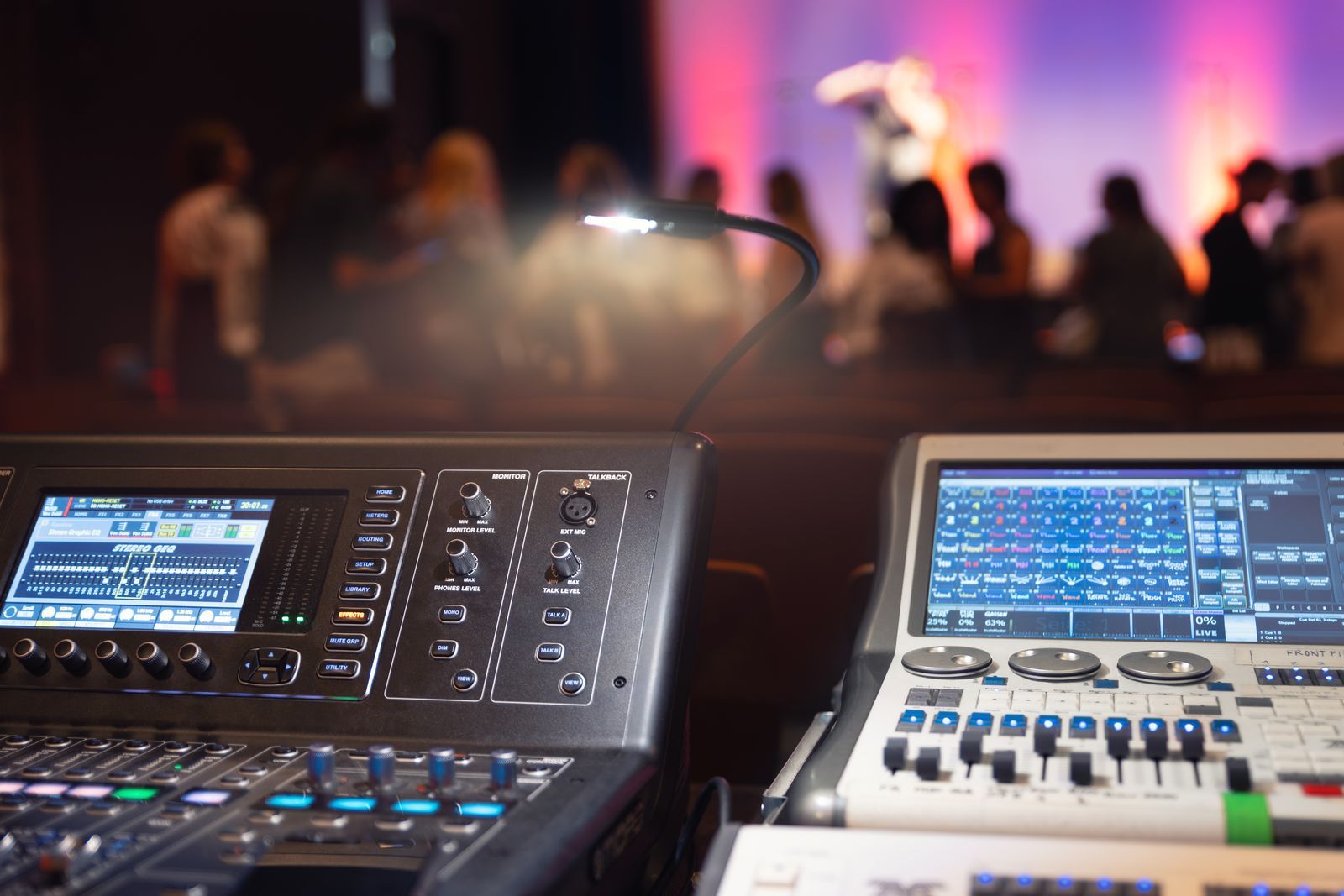
Remote viewers are unforgiving about two things: bad audio and dropouts. Picture quality can dip for a few seconds and hardly anyone leaves; if the sound drops, everyone does. That's why the stream audio never comes from a camera microphone, but from a clean feed off the event's mixing console, using the room's actual microphones.
How it's set up
From the room to the internet, step by step
This is the signal's full journey, and every link in the chain has its own point of failure.
Cameras and shots
A single fixed camera is enough for a training day. For a conference, two or three is sensible: a wide shot, a speaker shot and one on the audience or the panel table.
Live video production
The vision mixer chooses which shot goes out, brings in the slides as just another source and adds on-screen captions. This is the part we explain under multi-camera live production.
Clean audio
An auxiliary output from the event's mixing desk to the broadcast kit, with independent level control. Never the camera's ambient mic.
Encoding
The programme feed is compressed and turned into the stream that travels over the internet. This is where the output resolution is set: 1080p for most events, 720p when the connection is limited.
Upload and platform
The stream is uploaded to the chosen platform and distributed to viewers from there. You can broadcast to several destinations at once.
Parallel recording
While the stream goes out, everything is recorded locally. It's the backup that saves the event if the line fails, and the footage that gets edited afterwards.
Platform and bandwidth
Where it's watched and on what connection
Choosing the platform
For an open event, a public platform such as YouTube is the simplest option: nobody needs to register, it handles any number of viewers and the video stays published once it ends. For an internal or paid event, we stream to a private platform or a restricted-access page, with an individual link or password. You can also stream to several destinations at once, or embed the player on the client's website. The choice depends on who needs to be able to watch and whether you want to know who has watched.
How much upload speed you need
What matters is upload speed, not download speed, and that it's stable. As a practical rule of thumb: to stream at 1080p you should have at least three times the streaming bitrate available in upload, and not share the line with the guests' Wi-Fi. A conference with three hundred people on the hotel Wi-Fi will bring down any stream going out over that same network.
That's why we always ask for a cabled line and a backup
A wired connection on a port reserved for production, plus a second mobile link as backup. Before the event we run a real upload test from the exact spot where we'll be setting up, not from the hotel reception. If the venue can't provide enough bandwidth, we say so in advance and find an alternative: streaming over bonded mobile networks, or recording and publishing later.
Common mistakes
What ruins a live stream most often
Trusting the venue Wi-Fi. It's the number one mistake. Wi-Fi shared with attendees is not fit for streaming. Ask for a wired network point, and test it.
Taking the audio from the camera. It sounds like an empty hall, echoey and full of audience noise. The audio has to come from the mixing desk, from the real microphones.
Not deciding who hosts the live stream. Someone has to open and close the broadcast, announce that it's about to start and hand over. A stream that goes live ten minutes early to an empty room with people still setting out chairs makes a poor first impression.
Forgetting about music and rights. If recorded music is played at the event, the platform's automatic blocking can kick in on a public stream. It's worth checking beforehand, just as you check the copyright for the in-person event.
Not recording locally. If the line drops and there's no backup recording, nothing is left. A local recording costs very little and is what saves the job.
What the service includes
What we provide
Cameras and live production
Camera kit, vision mixer, monitoring and a technician for the entire broadcast.
Audio feed
A clean feed from the event's mixing desk, with independent level control and metering.
Encoding and upload
Streaming kit, platform set-up and an advance test from the venue.
On-screen graphics
Speakers' names and job titles, section titles and transitions if you supply the design.
Backup recording
Local recording of the programme feed during the broadcast, delivered at the end.
Advance technical test
A rehearsal on the real connection, not on the technician's mobile.
Shall we stream your event live?
Tell us how many speakers there are, where it is and who needs to be able to watch. We'll check the venue's connection.
Related services
What it pairs with
Frequently asked questions
Event live streaming FAQs
How many cameras do I need?
A single fixed camera covers a training session or a short talk. For a conference with a panel discussion, two or three is sensible: without shot changes, remote viewers get bored within ten minutes.
Can the stream be private, for invited guests only?
Yes. We stream to an unlisted link, a platform with registration or a password-protected page. Let us know if you need to control who gets in and who has watched, because that changes the platform.
What happens if the internet goes down mid-stream?
That's why we set up a mobile network backup and always record locally. If the stream cuts out, the event carries on and the full video exists: it gets published afterwards.
Can you stream and show the picture on the room screen at the same time?
Yes. The same produced programme goes out to the internet and to the hall's LED screen or projector, with the presentation built in.
Can you stream in several languages?
Yes, by combining the stream with simultaneous interpretation: each interpretation channel can go out as a separate stream. This needs to be planned from the technical design stage.
Do you deliver the recorded video?
Yes, the full programme. If you also want each camera's footage separately for editing later, we record ISO feeds and deliver those too; let us know in advance so we can prepare the storage.
Quote
Tell us about your event and we'll prepare the live stream
Date, venue, duration, number of speakers and who needs to be able to watch.
Video
Screens, projection and control
The video equipment and the control position it is operated from during the event.
